Loading content

Meeting memory for managers

Turn manager meetings into follow-through and review-ready evidence

Use EvalSuite rooms, or bring in notes and transcripts from the tools managers already use. Either way, EvalSuite keeps the thread across meetings, action items, coaching, goals, performance evidence, and reviews.

Create free workspace · Open interactive demo

Built for small teams that want lightweight performance rituals, not heavyweight HR workflows.

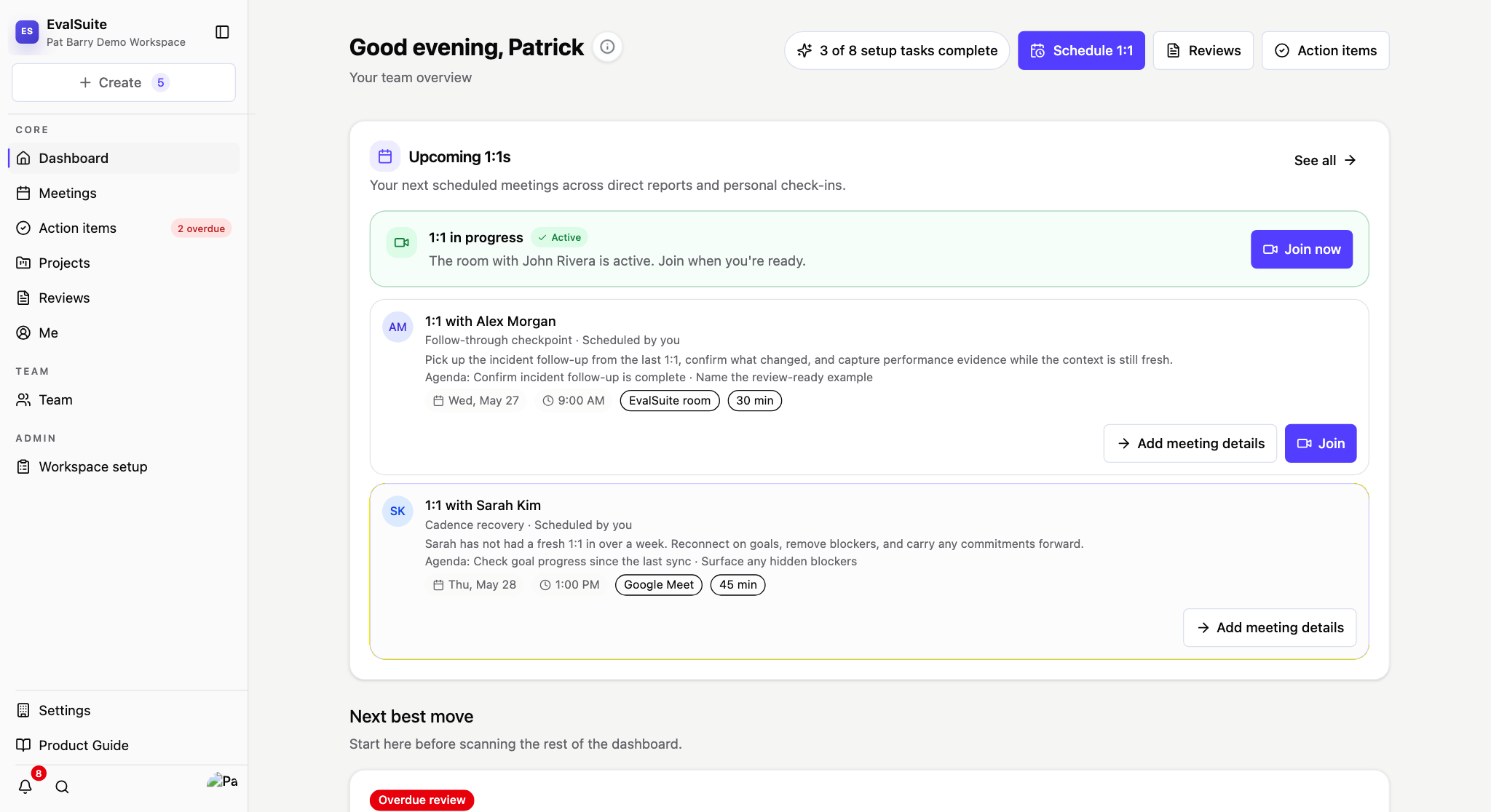
EvalSuite manager dashboard showing upcoming 1:1s, an active meeting, and carried-forward context

Meeting captured

Transcript and manager notes saved in one record.

Action item carried forward

Open commitments stay visible until resolved.

Context becomes evidence

Coaching and recognition moments stay tied to review history.

Step 1

Capture the meeting

Capture 1:1s, team syncs, transcripts, notes, and imports into one manager record.

Step 2

Track follow-through

Action items carry forward until they are resolved, delegated, linked, or turned into Jira/Linear work.

Step 3

Surface coaching context

Manager briefs, risk flags, recognition moments, and coaching patterns show what needs attention.

Step 4

Write reviews from evidence

When review season arrives, the examples are already organized.

Turn weekly 1:1s and team syncs into a manager memory trail.

Manager workflow

Carry commitments forward without writing the same recap twice.

Follow-through

Review season starts with organized history, not scattered chats and memory.

Review season

Works where manager rituals already happen

Google Calendar · Google Meet · Zoom · Slack · Microsoft Teams

Meeting memory

Built around recurring 1:1s, team syncs, follow-through, and review evidence instead of one-off note capture.

Human-reviewed AI

AI suggests summaries, action items, coaching signals, and performance evidence; managers review and own what gets saved.

Private by default

Meeting notes, transcripts, and recap content stay scoped to the people in that meeting.

EvalSuite helps managers maintain continuity. It keeps the thread across meetings so managers do not have to reconstruct context manually, and it turns everyday 1:1s, team syncs, and cross-functional meetings into reliable follow-through, coaching history, and performance evidence.

Pages for manager pain, templates, and integrations

These pages link into existing docs and help content instead of duplicating setup and support answers.

Interactive demo

See how one week of manager meetings becomes follow-through, coaching context, and review evidence.

Explore a real workspace. See meetings turn into action items, signals, and review-ready evidence.

EvalSuite manager dashboard showing upcoming 1:1s, an active meeting, and carried-forward context

Open interactive demo · Compare plans

Features

Not another HR tool. A system that captures performance context over time.

Capture the meeting once, then use that record for the next action, weekly clarity, and review writing.

Pricing

Simple pricing. Starts free.

Start free. Upgrade when you want automatic meeting capture, carried-forward action items, manager briefs, and review-ready evidence.

The more you use EvalSuite, the more useful it becomes — every meeting compounds into context you can act on.

Starter

Start free with structured 1:1s, action items, and one active review cycle.

Professional

Add automatic meeting capture, carried-forward action items, and weekly manager briefs.

Business

Add performance trackers, rating review, delegation, and admin controls.

Frequently asked questions

Short answers to the questions buyers ask before they start.

  • Is EvalSuite just another meeting note taker? No. Note takers capture what happened in one meeting. EvalSuite connects meetings over time, carries action items forward, surfaces coaching context, and builds review-ready performance evidence.
  • Where does transcript capture work? EvalSuite rooms and shared Sync rooms work directly today. Provider-native and imported transcript paths depend on workspace availability, provider setup, and the current integration rollout.
  • Who can see meeting data? Meeting notes, transcripts, and recap content stay with the people in that meeting. Org admins and leaders do not get org-wide access to private conversation text just because of their role.
  • Does this replace manager judgment? No. AI drafts and suggests. Managers review, edit, and own every final decision.
  • When does billing start? New workspaces start on free Starter. Paid billing starts only when an org admin explicitly begins paid checkout in Stripe.

Bring your meetings. Or use ours. EvalSuite keeps the thread.

Keep the thread across every 1:1, team sync, action item, goal, coaching moment, and review.

Create workspace · Open interactive demo